hulk138 Service Open an account, Multilingual customer support.
hulk138 iOS Web Live Casino App - Blackjack & Roulette
On iOS, hulk138 runs as a web app accessed through Safari — no App Store download needed. You bookmark the site, tap the share button, and select "Add to Home Screen" to create an icon that launches our full platform directly from your iPhone or iPad.
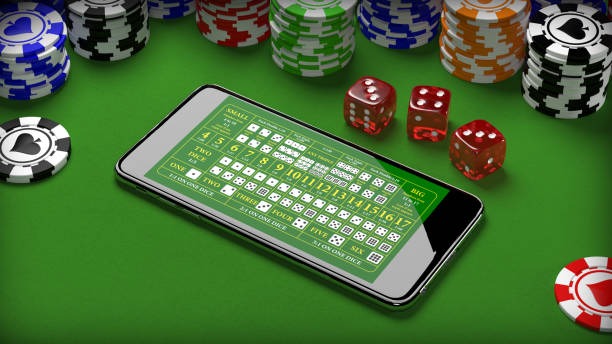
- and
- LoginOTP Verification
- DownloadAPK
- StartFirst Game
Our iOS Web experience mirrors the desktop version but is optimized for touch. Live-dealer tables (blackjack, roulette, baccarat, Dragon Tiger) stream smoothly on standard mobile networks. Sportsbook markets for Liga 1, Piala AFF, and international tournaments load instantly. Deposits via DANA, e-wallet, mobile banking, local payment, online payment, e-wallet, mobile banking, local payment, online payment, and e-wallet process in seconds.
Setting up hulk138 on iOS
The iOS Web app is not downloaded from the App Store — instead, you access it through Safari and save it to your home screen. This approach avoids app review delays and gives you instant access to all hulk138 features without waiting for updates.
Step 1: Open Safari and navigate to hulk138
Launch Safari on your iPhone or iPad. Type hulk138.app in the address bar and press Go. The site loads in full mobile view. You see the login screen if you have an existing account, or the signup option if you are new.
Step 2: Create or log into your account
If you are new, tap "Open account" and fill in your email, phone number, and password. We send a verification code to your phone — enter it to confirm. If you already have a hulk138 account, tap "Member login" and enter your credentials. Once logged in, you see the main dashboard with live tables, sportsbook markets, and your account balance.
After login, tap the share button (the square with an arrow at the bottom of Safari). Scroll down and tap "Add to Home Screen." A dialog appears asking you to name the shortcut — "hulk138" is the default, but you can change it. Tap "Add" and the icon appears on your home screen.
From now on, tapping that icon launches hulk138 directly without opening Safari. The app runs in full-screen mode, so it feels like a native app even though it is a web app.
Features and experience on iOS Web
Live-dealer tables
All hulk138 live tables are available on iOS Web. Blackjack, roulette, baccarat, and Dragon Tiger stream in HD when your connection allows. The stream adapts to your bandwidth — on 4G or WiFi, you get smooth video; on slower networks, the quality drops but stays playable. Multi-camera angles let you switch between overhead and close-up views of the dealer.
Joining a table is simple: tap "Live Casino," select a game type and stake level, and tap a table. The stream loads within 3–5 seconds. You place your bet using the on-screen buttons, and the dealer confirms it in real time. Winnings settle instantly to your account balance.
Sportsbook and pre-match betting
The sportsbook section shows upcoming matches from Liga 1, Piala AFF, Champions League, Premier League, and other tournaments. You tap a match to see available markets: match winner, total goals, both teams to score, Asian handicap, and correct score. Pre-match odds are locked when you place your bet, so you know exactly what you are betting on.

The iOS Web app gives you the full hulk138 experience without needing to download anything from the App Store.
Slot games
Aviator, Sweet Bonanza, Gates of Olympus, Fortune Tiger, and Mahjong Ways are all playable on iOS Web. These games load quickly and run smoothly on iPhone and iPad. Tap a game to launch it, place your stake, and spin. Results are instant, and your balance updates immediately.
Account verification and deposits
Before you can deposit or withdraw on hulk138 iOS Web, your account must be verified. Go to your account settings, tap "Verification," and upload a photo ID (KTP, passport, or driver's license) and a recent utility bill or bank statement. Verification typically completes within a few hours during business days.
Once verified, tap "Deposit" to fund your account. Choose your payment method: DANA, e-wallet, mobile banking, local payment, online payment, e-wallet, mobile banking, local payment, online payment, or e-wallet. Enter your deposit amount and confirm the transaction on your payment app. The credit appears in your hulk138 balance within seconds for e-wallets, or a few minutes for bank transfers.
Withdrawals and account management
To withdraw your winnings, tap "Withdraw" in your account menu. Select your payment method and enter the amount. We process withdrawals during business hours; bank transfers may take one to two business days depending on your bank. Your withdrawal is subject to verification — we may ask for additional documents if your account activity is unusual.
Your account dashboard shows your current balance, recent transactions, active bets, and withdrawal history. You can change your password, update your phone number, and manage notification settings from the account menu.
Tips and notes for iOS Web users
Performance and battery
The iOS Web app runs efficiently on iPhone and iPad. Live streams use adaptive bitrate, so they consume less data on slower connections. If you are concerned about battery life, enable Low Power Mode in your device settings — the app continues to work, but background processes slow down. Close other apps if you experience lag during live table play.
Notifications and alerts
You can enable push notifications for match results, live table updates, and account alerts. Go to your account settings and tap "Notifications" to customize what you receive. Notifications help you stay informed about upcoming Liga 1 matches, Piala AFF tournaments, and live table availability.
iOS Web advantages
- No App Store download required
- Instant updates without waiting for review
- Full feature parity with desktop
- Saves storage space on your device
iOS Web considerations
- Requires stable internet connection
- Account verification needed before deposits
- Withdrawals subject to banking windows
Payment timing and local context
Deposits via DANA, e-wallet, mobile banking, local payment, online payment, and e-wallet are instant. Bank transfers (mobile banking, local payment, online payment, e-wallet) may take a few minutes during business hours. During holidays like Idul Fitri, Idul Adha, Imlek, and Nyepi, bank processing may be slower — plan withdrawals ahead. Mobile wallets typically operate on holidays, so e-wallet deposits remain fast.
Connection and streaming quality
The iOS Web app adapts to your network speed. On WiFi or 4G, you get HD video and smooth interaction. On 3G or slower, the stream drops to standard definition but stays playable. If your connection drops mid-session, the app reconnects automatically and holds your bets for a few seconds. If you do not reconnect in time, your bet is forfeited and the round settles without you.

Jurisdiction and service availability
Our services on iOS Web are available only where local law permits. Users are responsible for verifying that access and use comply with their own jurisdiction's regulations. We do not offer our services in jurisdictions where online wagering is prohibited. If you are unsure whether hulk138 is available in your area, contact our support team through the help section in your account.
Getting help and support
If you encounter issues with the iOS Web app, visit our FAQ page or contact our support team through the in-app chat. We respond during business hours. For account or payment issues, check your member login dashboard or review our terms and conditions for policy details. You can also visit our app page for additional resources.
The hulk138 iOS Web app mobile bankingngs live casino, sportsbook, and slots to your iPhone or iPad without requiring an App Store download. Set it up in minutes, verify your account, deposit via your preferred payment method, and start playing. Whether you are in Jakarta, Surabaya, Bandung, Medan, or Semarang, the experience is the same — fast, responsive, and full-featured.